
Seamless Indoor Navigation
Find products and locations quickly with real-time AR/MR guidance.
AR-powered wayfinding solutions for large complex indoor environments.
Transform navigation—replacing confusing layouts with immersive AR/MR navigation, personalized discovery, and seamless assistance, so users always find what they need.
Find products and locations quickly with real-time AR/MR guidance.
Get tailored recommendations and exclusive context-aware offers.
Access reviews, features, stock availability, and promotions with a simple scan.
Spend less time searching and wandering, and more time achieving your goal.
Turn navigation into an interactive experience that feels futuristic yet intuitive.
Workflow Steps
More Details
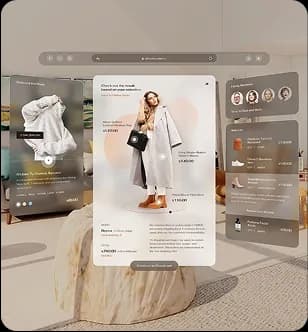
Users open the app or connect via supported AR glasses. The system detects their location within the indoor space using indoor positioning technology.
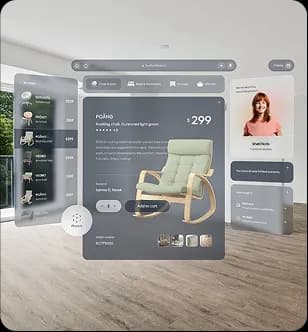
Users search for an item or location. The system instantly maps the shortest, most efficient route. Personalized recommendations appear in AR along the way.
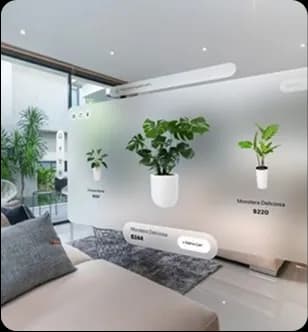
Dynamic AR arrows, overlays, and visual cues guide users through aisles and corridors, making navigation intuitive and frictionless.
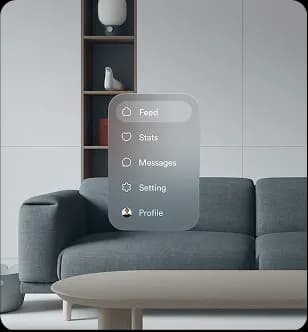
By pointing their device at a physical location, users unlock immersive details, reviews, availability, and suggestions, right in their view.
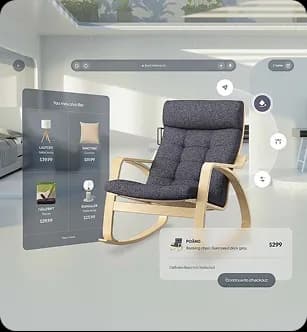
Users can save items, connect directly with loyalty programs, and digital checkout. Businesses gain valuable insights through the analytics dashboard.

Hands-free navigation with voice-guided assistants. Gesture-based interaction with AR prompts for convenience and accessibility.
Indoor navigation applications across complex facilities.
Industries
Guide shoppers to specific stores, products, and promotions.
Help patients and visitors navigate complex hospital corridors.
Direct travelers to gates, lounges, and baggage claim areas.
Assist employees and guests in finding meeting rooms and amenities.
Provide interactive, location-aware guides for exhibits and expos.
Deliver seamless, frustration-free wayfinding with AR overlays.
Why Choose Obrive
Find products and locations quickly with real-time AR/MR guidance.
Get tailored recommendations and exclusive context-aware offers.
Access reviews, features, stock availability, and promotions with a simple scan.
Spend less time searching and wandering, and more time achieving your goal.
Turn navigation into an interactive experience that feels futuristic yet intuitive.
Explore the different scopes of indoor navigation.
Use-Case Scope
Turn-by-turn directions to specific aisles and products.
Stress-free routing to departments and clinics.
Dynamic routing to booths and speaker sessions.
Integration with meeting room booking systems.
Guide maintenance staff directly to service tickets.